The short answer
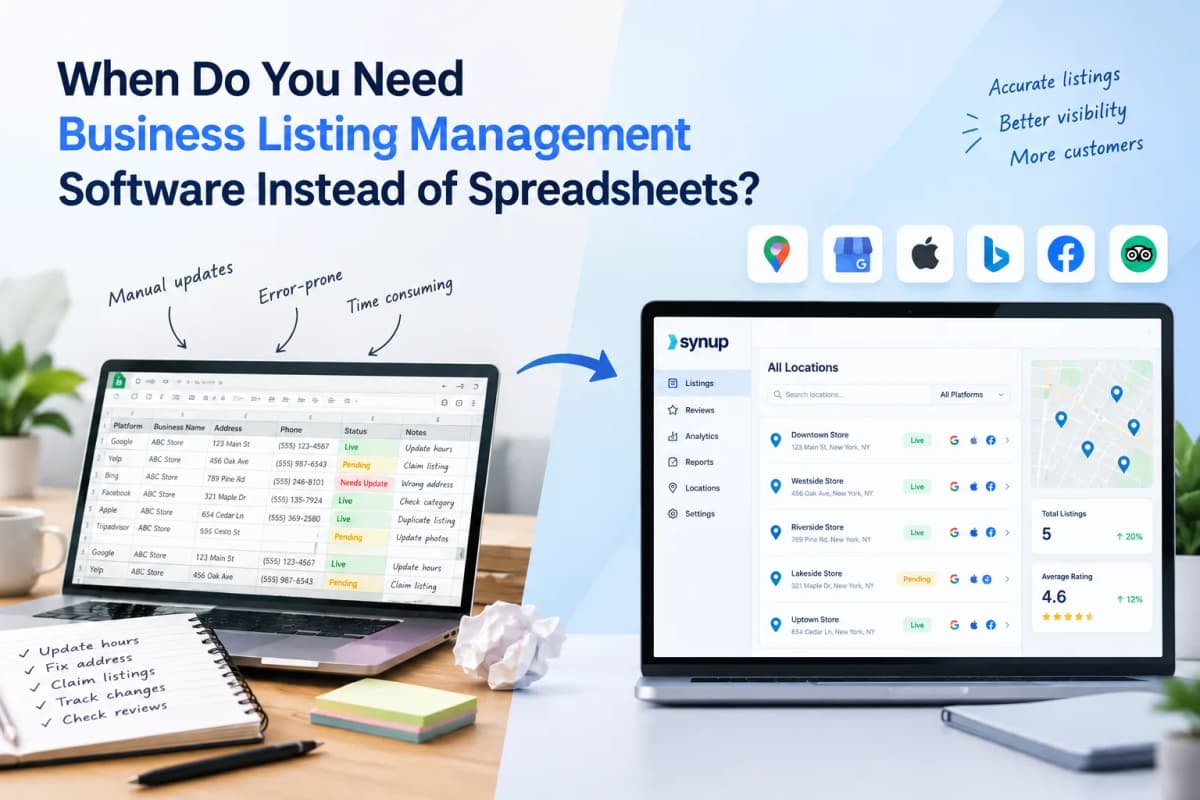
You need business listings management software when keeping listings accurate across multiple locations, directories, or teams takes more time and risk than the spreadsheet is worth. A spreadsheet can work for a small business with one or a few locations and infrequent changes. Once you need bulk updates, duplicate detection, publisher sync, status monitoring, approvals, or multi-location reporting, listings management software becomes the more practical operating system for local presence.
What business listing management actually includes
Business listing management is the ongoing process of creating, updating, monitoring, and correcting a company’s information across search engines, maps, directories, and other discovery platforms. It can include the business name, address, phone number, website, hours, categories, services, attributes, photos, menus, and location-specific details.
That matters because customers do not discover a business in only one place. Google Business Profile is central for Google Search and Maps, while Apple Business Connect controls how a business appears across Apple Maps and related Apple experiences. Bing Places is another source for business information in Bing Maps. Google’s own guidelines also stress that business information should accurately reflect the real-world business and that each business should generally have one profile per location.
For publisher-specific guidance, see Google’s Business Profile guidelines, Apple Business Connect, and Bing Places
When are spreadsheets still enough?
Spreadsheets are still a sensible choice when the listing operation is genuinely small. The key is not the number of columns in the sheet; it is the number of locations, publishers, changes, people, and failure points involved.
- You manage one location or a very small number of locations.
- Your core business information changes only occasionally.
- One person owns the updates and can verify them manually.
- You mainly need a master record of NAP data, URLs, categories, and hours.
- You do not need automated distribution, duplicate suppression, or publisher-level monitoring.
- You can afford to check important listings manually after major changes.
For example, a two-location dental practice that changes its hours a few times a year may be perfectly well served by a structured spreadsheet plus direct access to its major profiles. In this case, buying software can add cost without solving a meaningful operational problem.
What is the first sign that a spreadsheet is breaking?
The first sign is usually not a missing listing. It is the amount of manual coordination required to make one simple change safely.
- A holiday-hours update requires editing several platforms separately.
- The spreadsheet says one thing while a live publisher says another.
- Team members overwrite each other’s changes or use different versions of the file.
- Nobody knows whether an update actually went live.
- A duplicate profile appears and there is no clear workflow for resolving it.
- A client or regional manager asks for a status report that takes hours to assemble.
- A location opens, closes, moves, or changes its phone number and the same change must be repeated everywhere.
At that point, the spreadsheet is no longer the management system. It is simply a list of intended changes, while the real work happens across separate publisher dashboards.
7 situations where listing management software becomes useful
1. You manage multiple locations
Software becomes useful when the same business data has to be maintained across many locations. A multi-location listing management workflow can store location records centrally, group locations, and apply appropriate updates in bulk.
Imagine a restaurant group with 60 locations. If Sunday hours change across the brand, manually editing 60 profiles across multiple publishers creates unnecessary repetition and opportunities for inconsistency. A centralized workflow can turn one approved data change into a controlled multi-location update.
2. You update listings frequently
Frequent changes are where manual listing management becomes expensive. Seasonal hours, temporary closures, new services, menu changes, rebrands, phone numbers, URLs, and location openings all create recurring work.
The more frequently data changes, the more valuable automation and a single source of truth become. The goal is not to eliminate human review. It is to reserve human attention for decisions rather than repetitive copying and checking.
3. You need to know whether updates actually went live
A spreadsheet can record that someone submitted a change. It cannot reliably tell you whether every publisher accepted, processed, displayed, or later overwrote that change.
This distinction matters. Google, for example, has its own eligibility, verification, content, and profile policies. A local listings software platform can add operational visibility around connection status, publishing status, and exceptions, although teams should still verify important information on the publisher itself.
4. You have duplicate or inconsistent listings
Duplicate and conflicting profiles are a strong signal that manual management is becoming difficult. A business may have an old phone number on one directory, a duplicate location on another, and a correctly managed profile elsewhere.
Local citation management tools can help identify, correct, suppress, or monitor these issues. This is particularly useful when a business has changed address, acquired another company, rebranded, or inherited listings from previous agencies.
5. More than one person needs access
Spreadsheets become harder to govern when marketers, franchisees, regional managers, agencies, and business owners all need to participate. Software can provide roles, permissions, approval workflows, and clearer ownership.
This matters for agencies in particular. A client should not have to understand the entire listing stack to approve a sensitive change. A controlled workflow can separate who proposes, reviews, and publishes changes.
6. Reporting has become part of the job
If you have to report listing health to management or clients, a spreadsheet can become a reporting project in its own right. Listing management software can centralize location status and, depending on the platform, provide profile activity, visibility, or other local performance data.
The business case is strongest when reporting is recurring. A monthly client report built from dozens of manual checks is a different workload from a one-time spreadsheet audit.
7. You are managing listings for clients
Agencies usually reach the software threshold sooner than individual businesses because the unit of work is multiplied by client count. Even if every client has only five locations, 20 clients create 100 locations, with different access permissions, reporting expectations, and change requests.
White-label portals, client-level permissions, bulk operations, APIs, and automated reporting can therefore be more important to an agency than the raw number of listings it manages.
Spreadsheet vs. listings management software
| Requirement | Spreadsheet | Listing management software |
|---|---|---|
| 1–3 locations | Usually sufficient | Often unnecessary |
| 10+ locations | Increasing manual work | Useful for centralization |
| Frequent updates | Manual and error-prone | Bulk workflows and automation |
| Publisher status | Usually manual | Centralized status/monitoring |
| Duplicates | Manual investigation | Detection/workflows may be available |
| Multiple users | Version and permission issues | Roles and approvals |
| Agency/client management | Hard to scale | Built for repeatable workflows |
| Recurring reporting | Manual compilation | Dashboards/reports can reduce work |
Which features should you actually pay for?
The right listings management software should solve a problem you already have. Do not choose a platform simply because it has the longest publisher list or the largest feature page.
- Centralized location data: one controlled source for core business information.
- Bulk updates: change many appropriate locations without repeating the same task.
- Publisher connections: direct or supported connections to the directories that matter to your customers.
- Duplicate management: identify and work through duplicate or conflicting listings.
- Status monitoring: see which locations are connected, pending, failed, or require action.
- Permissions and approvals: useful for agencies, franchises, and distributed teams.
- Reporting: export or present location-level information without rebuilding it manually.
- API access: important if listings data needs to connect with internal systems or another SaaS product.
- Auditability: useful when multiple people or clients need to know what changed and when.
AI-search visibility is increasingly relevant too, but it should be treated as an extension of accurate local data rather than a replacement for it. Search engines and AI systems still depend on business information from websites, directories, maps, structured data, and other sources. Google’s documentation on LocalBusiness structured data explains how businesses can provide machine-readable information such as hours and other business details on their own sites.
Google also documents LocalBusiness structured data for machine-readable business information.
Which tools are worth considering?
There is no single listing platform that fits every organization. The right choice depends on scale, publisher coverage, workflow requirements, reporting needs, and whether listing management is part of a broader local marketing stack.
Yext
Yext provides a large publisher distribution network and centralized listings management, with capabilities for structured business data, duplicate detection, analytics, permissions, and enterprise workflows. It is positioned for organizations that need extensive publisher connectivity and governance across large location footprints, including role-based controls and auditability.
Synup
Synup is built around local presence management for agencies, SMBs, and multi-location brands. Its listings workflow provides centralized location data, bulk updates, publisher connections, duplicate management, connection monitoring, reporting, and API capabilities. Synup also connects listing management with broader local marketing and AI-search visibility workflows, which can be useful when the same team manages listings, reviews, SEO, and emerging answer-engine visibility.
Uberall
Uberall focuses on multi-location brands and combines listings management with other local marketing capabilities. Its listings product supports distribution across a broad directory network, centralized location information, profile optimization, and monitoring. It is particularly relevant for organizations that want listings to sit inside a broader platform for local presence and customer engagement.
BrightLocal
BrightLocal is widely used for local SEO workflows and offers citation building and citation management alongside rank tracking, audits, and reporting. Its citation services can be useful when a business or agency needs listings created, corrected, or cleaned up without building a large ongoing distribution operation. It is a different operational model from a platform centered primarily on continuous multi-location synchronization.
How do you know it is time to switch?
Use the following practical test. If several statements are true, it is worth evaluating listings management software.
- One listing change regularly requires updates in three or more places.
- You manage more than a handful of locations.
- Listing updates are a recurring task rather than an occasional project.
- You have experienced duplicate, stale, or overwritten business information.
- More than one person is responsible for listings.
- You need approvals before important business information changes.
- You produce recurring listing or local SEO reports.
- You manage listings for multiple clients or brands.
- You need an API or system-to-system workflow.
- Manual listing work is taking time away from higher-value local SEO work.
There is no universal location threshold at which software becomes mandatory. A five-location business with weekly operational changes may need software sooner than a 20-location business whose information rarely changes. The correct trigger is operational complexity, not a magic number.
How should you migrate from a spreadsheet?
Do not start by importing every column your team has ever created. First establish a clean location dataset and decide which fields are authoritative.
- Audit the current spreadsheet and remove outdated or duplicate location records.
- Define the canonical business name, address, phone, URL, hours, categories, and other required fields for each location.
- Identify which publishers matter for your customers and industry.
- Check existing live listings before pushing new data.
- Resolve ownership and verification issues where necessary.
- Import the clean location data into the chosen platform.
- Run a controlled update on a small group of locations before rolling changes across the network.
- Keep the spreadsheet as an export or backup if your internal processes still require it, but make one system the operational source of truth.
This approach reduces the risk of simply transferring messy spreadsheet data into a more expensive system.
Business listing management software: the practical decision rule
Choose a spreadsheet when the operation is small, stable, and easy to verify manually. Choose listings management software when the operation is repetitive, distributed, frequently changing, or difficult to audit.
The strongest reason to adopt software is not that spreadsheets are bad. Spreadsheets are excellent for lightweight data management. The issue is that they were not designed to synchronize business information across independent publishers, track live status, manage permissions, resolve duplicates, and produce recurring operational reporting.
For a local business with one or two locations, the spreadsheet may remain the most economical option. For an agency, franchise network, or growing multi-location brand, the cost of manual work and inconsistency can become more important than the software subscription itself.
Frequently asked questions
Is listing management software the same as local SEO software?
No. Listing management focuses on maintaining business information across external directories, maps, and publisher ecosystems. Local SEO software can cover a wider set of activities such as rank tracking, audits, review monitoring, local landing pages, and competitive analysis. Some platforms combine these functions.
Can a spreadsheet manage local citations?
Yes, a spreadsheet can track citation URLs, NAP data, status, login ownership, and correction dates. The limitation is execution and monitoring. It does not automatically propagate a change or confirm that independent publishers have accepted and retained the update.
How many locations do you need before software is worthwhile?
There is no universal cutoff. Frequency of change, number of publishers, team size, client requirements, and the cost of manual checking matter more than location count alone. Even a small network can justify software if listings are updated frequently or mistakes have meaningful operational consequences.
Does listings management improve rankings by itself?
Accurate, complete business information is an important part of local search presence, but listing software is not a guaranteed ranking shortcut. Rankings depend on many signals and vary by query, market, and platform. Treat listings management primarily as an accuracy, distribution, and operational-control function, then measure local search performance separately.
What should a business listing management workflow track?
At minimum, track the canonical location data, publisher connections, listing URLs, verification or ownership status, duplicates, update status, and last-checked date. Larger teams may also track profile completeness, local performance metrics, approvals, and exceptions.
Final takeaway
Spreadsheets are a useful starting point, not a failure point. The transition to business listings management software makes sense when your team spends more effort copying, checking, reconciling, and reporting listing data than actually improving local visibility.
If you manage multiple locations or clients, make the decision based on workload: how many publishers you maintain, how often information changes, how many people touch the data, and how costly an unnoticed error would be. That gives you a more reliable business case than choosing software simply because your competitor uses it.