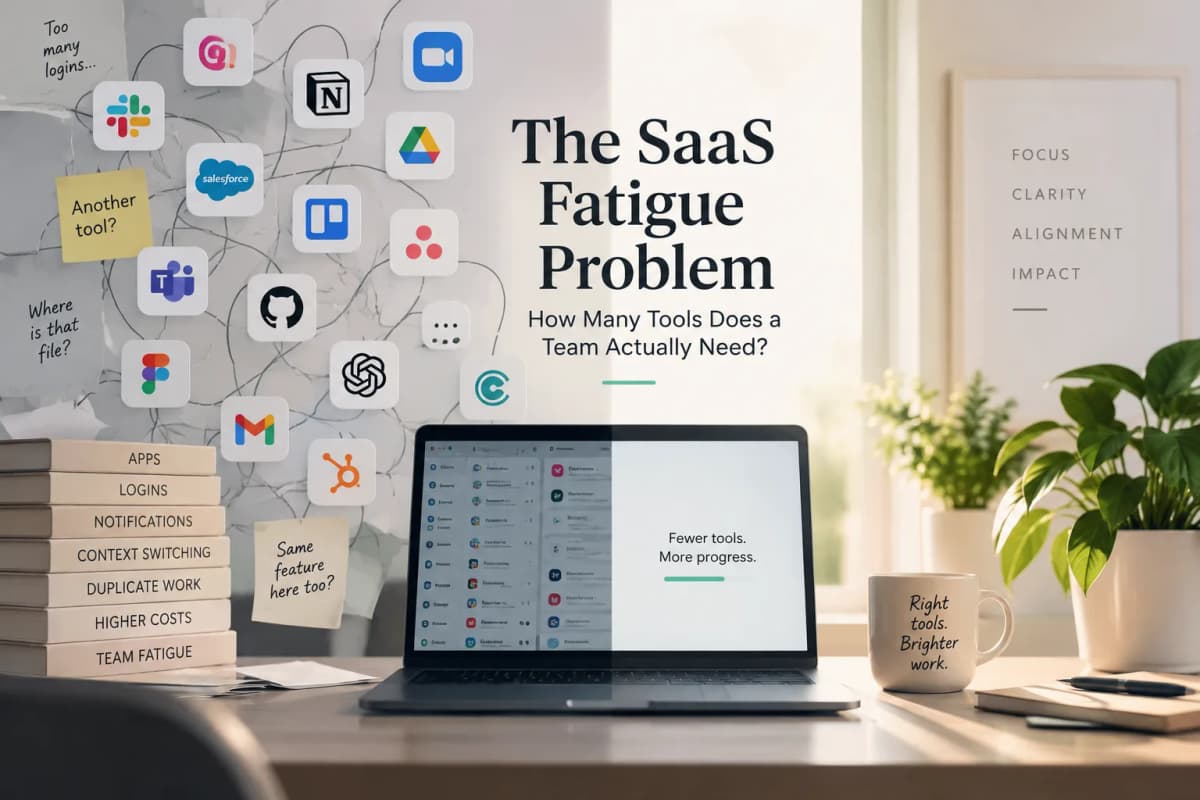
There is no defensible number of SaaS tools that every team should aim for. A healthy software stack is not necessarily a small one. It is a stack in which each tool has a clear job, fits into the surrounding workflow, has an owner, and does not force employees to spend half their time reconciling information between systems.
That distinction matters because SaaS fatigue is often discussed as a counting problem. A company sees 70, 100, or 300 applications in an audit and assumes the answer is simply to reduce the number.
Sometimes it is. Often it is not.
A team with 15 specialist applications can work cleanly if those systems are well defined and connected. Another team can struggle with six tools if every project requires copying data between them, checking which version is current, and asking where the final decision was recorded.
The more useful question is therefore not, "How many applications do we have?"
It is: How much complexity does each application add, and does it earn that complexity back?
SaaS fatigue is more than having too many subscriptions
"SaaS fatigue" is not a formally standardized category with one accepted industry definition. In practical terms, it describes the friction that appears when using and managing software starts consuming too much of the benefit the software was supposed to provide.
That friction can show up differently depending on where you sit.
An employee may experience it as another interface to learn, another place to search, another notification feed, or another system that needs to be open before a piece of work can move forward.
An operations leader may see the same problem as duplicated data, inconsistent workflows, or teams maintaining different versions of the same information.
IT may experience it through account provisioning, permissions, security reviews, offboarding, integrations, renewals, and applications that appeared without going through normal purchasing processes.
Finance may simply see another annual subscription that nobody can confidently explain.
These problems are related, but they are not interchangeable.
SaaS sprawl is the growth and distribution of software across an organization. IBM's guide to SaaS sprawl describes it as unchecked SaaS proliferation and connects it with issues such as inefficient workflows, data silos, unnecessary spending, and security risk.
Shadow IT refers to applications adopted outside normal IT visibility or approval. A Shadow IT tool can be genuinely useful. The problem is that the organization may not know what data is inside it, who has access, or whether another system already does the same job.
SaaS waste is more directly financial. It includes:
- unused seats
- duplicate subscriptions
- oversized plans
- applications that are barely used
- products that have outlived the problem they were originally bought to solve
SaaS fatigue sits across all of these. It is what the organization feels when the stack becomes difficult to operate.
Why the "average company uses X apps" statistic is not very useful on its own
Search for the average number of SaaS applications used by a company and you will quickly encounter figures that appear to contradict one another.
Okta's 2025 Businesses at Work report found that its customers used an average of 101 applications, the first time its global average crossed 100.
BetterCloud's 2025 State of SaaS research landed in a similar range, reporting an average of 106 SaaS applications among respondents. Its research, however, was based on a survey of nearly 600 IT professionals rather than the same type of identity-platform dataset used by Okta.
Zylo's 2026 SaaS Management Index looks very different. Zylo's 2026 SaaS Management Index reports an average portfolio of 305 applications and a median of 240. Its underlying dataset covers more than 40 million SaaS licenses and more than $100 billion in discovered and categorized SaaS and cloud spending.
Torii goes wider still. Its 2026 SaaS Benchmark Annual Report reports an average of 831 applications discovered per organization, alongside 40 applications interacted with per employee. Torii's discovery model intentionally captures a much broader range of activity, including direct employee sign-ups and Shadow IT.
| Source | Reported figure | What the number broadly represents |
|---|---|---|
| Okta, 2025 | 101 apps per customer | Applications visible in Okta customer environments |
| BetterCloud, 2025 | 106 SaaS apps | SaaS portfolio reported by surveyed IT professionals |
| Zylo, 2026 | 305 average, 240 median | Managed and discovered SaaS portfolio |
| Torii, 2026 | 831 apps per organization | Broad application discovery including Shadow IT |
Those numbers can all be true at the same time.
The difference is methodological.
One dataset may count applications connected through identity infrastructure. Another may count paid SaaS. Another may identify free tools, browser activity, employee-created accounts, AI products, and software that central IT never knew existed.
That makes company-wide app count useful for understanding scale, but weak as a diagnosis of whether a particular team has a healthy stack.
A company with thousands of employees can reasonably have hundreds of specialized applications. A 20-person startup can still have an unhealthy stack with 18 subscriptions if the same information is being maintained in four places.
The real signs that your stack has become tiring
SaaS fatigue tends to reveal itself through workarounds and confusion before it shows up in a finance dashboard.
One of the clearest signs is that employees cannot confidently say where important information belongs.
Ask where the authoritative customer record lives. Then ask the same question about campaign briefs, contracts, product requirements, project status, approved marketing assets, or employee information.
If every answer requires a qualifier, the problem is deeper than subscription count.
Perhaps the CRM contains the customer record, but sales notes live in a call-recording tool, renewal information is in a spreadsheet, and implementation status sits in a project platform. None of those systems is necessarily unnecessary. The trouble begins when people must manually reconstruct the complete picture every time they need to make a decision.
A second warning sign is manual reconciliation between applications that supposedly integrate.
Two vendors can advertise an integration while employees continue exporting spreadsheets, comparing numbers, copying notes, or checking which platform updated most recently.
That distinction between "fewer tools" and "better-connected tools" is important because software consolidation and workflow integration solve different problems. You can cut the number of vendors without fixing the handoffs between the systems that remain.
Another signal is feature duplication that has never been examined.
A company may have several tools that can create tasks, store documents, summarize meetings, generate copy, or produce dashboards. That does not automatically mean the tools are redundant. A product team and a marketing team may reasonably need different project-management environments.
What matters is whether those applications support genuinely different working models or simply exist because each department bought its own answer to the same problem.
So how many tools does a team actually need?
There is no serious evidence supporting a rule such as "a small team should use seven applications" or "anything above ten creates tool fatigue."
A better way to answer the question is to examine the relationship between the tools and the work.
Start with capability overlap. If three applications are being paid to perform substantially the same function for the same people, there is a legitimate consolidation question. If each one supports a distinct workflow or specialist requirement, the overlap may be justified.
Then look at workflow crossings.
Instead of counting every application owned by the company, choose a recurring outcome and count how many systems someone must actively move through to complete it.
For a marketing team, the workflow might be:
campaign idea → brief → production → approval → publication → reporting
Imagine a 12-person team using Slack or Teams for communication, Google Workspace or Microsoft 365 for documents, a project-management system, a CRM, design software, a CMS, email marketing software, analytics, and an AI assistant.
That could easily mean nine or more systems.
The number itself tells us very little.
If the campaign brief begins in the project system, assets are produced in design software, approval is clearly recorded, publication happens in the CMS, and performance data flows into the team's reporting environment without manual reconciliation, the specialization may be perfectly reasonable.
Now imagine the same nine tools behaving differently.
The brief exists in both a document and the project platform. Feedback happens partly in chat and partly in comments. Final assets appear in multiple folders. Approval is given in a message that nobody records elsewhere. Campaign performance differs between two dashboards. Someone exports a CSV each Friday to reconcile the numbers.
Both teams have roughly the same number of tools. Only one has a SaaS fatigue problem.
The source-of-truth problem is often more important than app count
A useful software stack makes it clear where definitive information lives.
There can be many interfaces around a customer record, but the organization should know which system owns the customer.
There can be multiple places to discuss a project, but the team should know where the official project status is maintained.
The same principle applies to contracts, employee information, product requirements, assets, and financial data.
Problems escalate when several systems can independently edit or redefine the same object.
Two dashboards may display slightly different revenue figures. A project-management tool may show one deadline while a spreadsheet shows another. A CRM and customer-success platform may disagree on account ownership.
At that point, employees spend time deciding which system to trust.
That reconciliation work rarely appears on a SaaS invoice. It is still part of the software's operating cost.
A specialist tool can be worth the complexity it adds
The conversation around SaaS fatigue often drifts toward a simple conclusion: fewer applications are better.
That is too crude.
Specialist software exists because broad platforms frequently perform some jobs adequately and others poorly.
A productivity suite may include lightweight task management. That does not mean a software engineering team should abandon a specialist issue tracker. A CRM may offer email capabilities, but a sophisticated lifecycle marketing team may still need a dedicated platform. An existing business suite may add an AI writing feature without replacing the specialist AI application a team uses for a critical workflow.
The correct test is not feature overlap on a comparison page.
It is workflow equivalence.
If a bundled feature can replace a specialist product without materially weakening the work, consolidation may make sense. If moving to the bundled alternative forces employees into spreadsheets, removes automation they depend on, or creates a less usable process, the specialist tool may still be earning its place.
This is why one of the most useful questions in a SaaS audit is surprisingly simple:
What happens if we remove this tool?
If the answer is "nothing important," that tells you something.
If the answer is "we would immediately rebuild half of its functionality manually," that tells you something else.
Consolidation has a cost too
Removing applications feels like simplification. Operationally, it can be complicated.
A SaaS consolidation project may require:
- data migration
- retraining
- workflow redesign
- automation rebuilding
- new integrations
- changes to permissions
Historical information may not transfer cleanly. Teams may lose specialist functionality they actually use.
There is also the risk of vendor concentration.
A broader suite can simplify procurement and administration, but the organization becomes more dependent on one provider's product direction, pricing, reliability, and ability to serve several functions well.
Poor consolidation can even create new Shadow IT.
If employees dislike the replacement, they may quietly reintroduce specialist tools through personal accounts, free plans, spreadsheets, or unsanctioned AI products.
A company can therefore remove five applications and still leave the most annoying workflow untouched.
That is why consolidation should begin with the workflow, not the vendor count.
AI has made the SaaS fatigue problem harder to see
The 2026 software stack is increasingly difficult to audit because AI is expanding in two directions at once.
Companies are adopting AI-native products for writing, coding, research, meetings, search, design, analytics, and workflow automation. At the same time, existing SaaS vendors are adding copilots, agents, AI add-ons, and usage-based features to products that were already in the stack.
The result is overlap that does not always look like traditional SaaS duplication.
BetterCloud's State of SaaS research tracks the growing role of AI-powered SaaS inside workplace software portfolios, including both AI-native applications and AI capabilities added to established products.
Zylo's 2026 data shows another side of the same shift. Its SaaS Management Index reports that spending on AI-native applications increased sharply year over year while the average overall SaaS portfolio remained comparatively stable.
That is an important change in how software sprawl should be understood.
A company can increase software cost and complexity without visibly adding dozens of new vendors. Existing products can introduce AI add-ons, separate usage charges, new tiers, and overlapping assistants.
Torii's 2026 SaaS Benchmark Annual Report also documents the growing role of AI products in Shadow IT, which makes the issue as much about software visibility and governance as procurement.
So the relevant question is no longer simply, "Do we already pay for an AI tool?"
A better set of questions is:
- What exact job is the AI performing?
- Which data does it access?
- Is that capability already available elsewhere?
- Is the specialist version materially better?
- And who is responsible for deciding whether it stays?
Context switching matters, but the evidence needs to be used carefully
It is tempting to connect every software-sprawl statistic to lost productivity.
The evidence is more nuanced.
Microsoft's 2025 WorkLab analysis of the "infinite workday" used aggregated Microsoft 365 productivity signals to examine interruptions created by meetings, email, and chat. Among the highest-volume users in its dataset, Microsoft reported very frequent interruptions during core work hours.
That research measures communication interruptions. It does not prove that employees literally switch between SaaS applications at the same frequency.
Experimental research on interrupted work supports the broader concern that fragmented attention can carry a cost. In the study The Cost of Interrupted Work: More Speed and Stress, Gloria Mark, Daniela Gudith, and Ulrich Klocke found that participants could compensate for interruptions by working faster but experienced higher stress, frustration, time pressure, and effort. Read the study via its DOI record.
For a SaaS audit, the more useful concept is context reconstruction.
Switching becomes expensive when an employee has to remember what happened in the previous system, locate the corresponding record in the next one, determine which version is current, and work out what action belongs there.
Opening another browser tab is not necessarily the problem.
Rebuilding the context every time can be.
How to audit a SaaS stack without turning it into a spreadsheet exercise
A useful audit begins with an inventory, but the inventory should be the start of the conversation.
For every application, document:
- what job it performs
- who uses it
- who owns it
- what important data lives there
- which other systems it depends on
Then look at usage.
Unused seats deserve scrutiny, but usage statistics need interpretation. A frequently used application can still be inefficient if employees spend their time correcting data, working around limitations, or duplicating information somewhere else.
Next, group applications by capability.
This often exposes categories where several products overlap:
- project management
- analytics
- meeting notes
- file storage
- knowledge management
- automation
- AI assistants
- communication
- reporting
Then map the important workflows through those categories.
That is usually where the real problems become visible.
A simple decision framework can keep the audit practical:
| Decision | When it makes sense |
|---|---|
| Keep | The product performs a distinct, valuable job and has real usage |
| Integrate | The application is useful, but disconnected handoffs create unnecessary work |
| Downgrade | The tool is needed, but the current seat count or plan is larger than necessary |
| Consolidate | Another system can absorb the workflow without meaningful loss |
| Remove | The application no longer solves an active problem or is genuinely redundant |
The difficult category is "consolidate."
A feature existing elsewhere does not prove that the workflow can move there.
That needs to be tested against the actual work.
The next software purchase should have to justify itself
Most SaaS stacks do not become cluttered because someone deliberately designed them badly.
They accumulate.
One department needs a reporting tool. Another adds a meeting assistant. A team starts using a new AI product. A feature that once required a separate application gets bundled into an existing platform, but nobody revisits the old subscription. A free trial becomes an annual contract.
Preventing that requires a small amount of friction before purchasing.
Before adding another application, the team should be able to explain:
- what specific problem it will own
- why existing systems cannot solve that problem well enough
- who will use it
- who will administer it
- what data it will contain
- what other system it may replace
It is also worth deciding in advance what would make the tool fail its trial.
For example, a team might agree that after 60 or 90 days the product should have an identifiable group of active users, a clear place in the workflow, and a measurable reduction in an existing manual process.
That is not an industry standard. It is simply a better discipline than allowing every trial to become permanent by inertia.
FAQ
How many SaaS tools does the average company use?
There is no single reliable number because major studies use different definitions. Okta and BetterCloud report figures around 100 applications in their respective datasets, while SaaS-management and discovery platforms such as Zylo and Torii report several hundred. The number only makes sense when you know what the source counted.
How many tools should a small team use?
A small team should use as many tools as its important workflows genuinely require, but each additional application should have a clear purpose. Warning signs include:
- overlapping functionality
- manual copying between systems
- unclear data ownership
- low usage
- no internal owner
What is the difference between SaaS fatigue and SaaS sprawl?
SaaS sprawl describes the expansion of applications across an organization. SaaS fatigue describes the operational or user burden that can result when working across, managing, paying for, and governing those applications becomes difficult.
Is an all-in-one platform better than several specialist tools?
It depends on the workflow. Broader platforms can reduce duplicate systems and administration. Specialist applications may offer deeper functionality and better usability for important jobs. The relevant question is whether the specialist capability earns the extra complexity it introduces.
Is AI making SaaS sprawl worse?
Current SaaS-management research indicates that AI-native products and AI capabilities inside existing software are expanding quickly. That can create duplicated functionality, new usage charges, Shadow AI, and additional governance requirements even when the overall number of vendors does not rise dramatically.
A good stack is deliberate, not necessarily small
SaaS fatigue is ultimately a design problem.
The healthiest software stack is not the one with the fewest logos on a procurement spreadsheet. It is the one where people understand which system owns what, applications connect cleanly enough to support real workflows, specialist products have a clear reason to exist, and tools that no longer earn their complexity are removed.
That changes the question teams should ask during the next software review.
"How many apps do we have?" is useful for inventory.
The better question is: Which of these tools still makes the work easier than it makes the stack harder to manage?